
AI Text to Video Generator
Write one English prompt for a continuous landscape shot, choose the recorded Kling 3.0 Pro or Veo 3.1 Fast path, then review the fixed settings and exact credit quote before generating.
Updated Sep 21, 2026
Your creative workspace
Edit the idea. Choose your settings. Generate when you’re ready.
Text → video
Describe one shot. Generate a downloadable MP4.
What scene would you like to create?
Choose a scene to fill in the subject, setting and motion. No image upload needed. These are editable prompt drafts, not recorded outputs.
More settings · 16:9 · 5s
16:9
Fixed at 5 seconds
Silent output
Checking generation and private storage configuration.
This page submits only landscape text settings covered by complete recorded samples: Kling 3.0 Pro at 5 seconds and silent, or Veo 3.1 Fast at 6 seconds, 720p and generated audio. The exact quote is charged once; provider or media-validation failures are refunded, and finished clips remain in My videos.
Your video
5s · MP4Your next video starts here.
Add a prompt or choose an idea above. Your result will appear here.
Check the credit quote for this shot before submitting. See plans and credit pricing
Recorded video examples & recipes
Somewhere beyond ordinary.
Write the world you want to see. Start with a cinematic desert shot.
Use this recipe ↗Give the scene a sound.
A wide desert shot with generated sound. The recorded audio has footstep-like taps and a low thump; it does not establish exact environmental sound control.
Use this recipe ↗Workflow and limitations
Two complete recorded paths
Kling creates a five-second silent landscape MP4 for 140 credits. Veo creates a six-second 720p landscape MP4 with generated audio for 225 credits. Other settings are withheld until matching text-to-video evidence exists.
Prompt one evaluable shot
Write the subject, setting, one main action and camera movement in English. Both published examples use one continuous desert shot; a new prompt can still produce different composition, motion or timing.
One charge, recovery and limits
The exact quote is charged once. Provider or MP4 track validation failures return job credits; successful output remains private, downloadable and recoverable in My videos, and creative dissatisfaction is still charged.
How to use it
- 01
Choose the recorded Kling silent path or Veo audio path, then write one English prompt with subject, setting, action and camera movement.
- 02
Review the fixed duration, 16:9 output, model-specific audio state and exact 140- or 225-credit quote before Generate.
- 03
Inspect the complete MP4, download it from the result card, or recover the same private job after refresh from My videos.
Prompt ideas
Untested prompt drafts. For recorded outputs, use the playable examples and testing record.
“A cinematic wide shot of a lighthouse on a stormy cliff at night, waves crashing, beam sweeping through rain, slow forward camera move, one continuous take.”
“An elderly craftsman carving a wooden mask in a candle-lit workshop, close-up on hands, wood shavings falling, locked camera, one continuous shot.”
“A futuristic city street at golden hour, flying cars passing above pedestrians, slow forward camera move, one continuous take, no text or logos.”
FAQ
Evidence, sources and testing scope
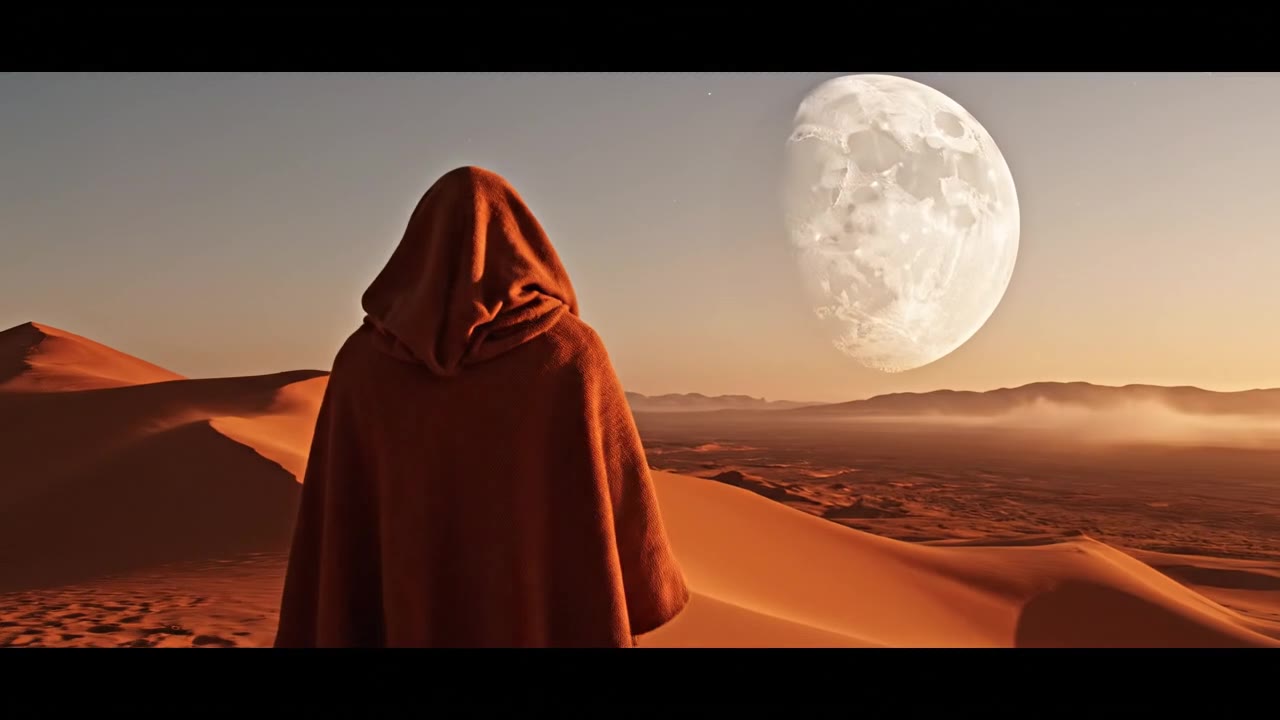
Two complete recorded desert outputs bound this page: moonrise is Kling 3.0 Pro text-to-video at five seconds, 16:9 and silent; desert-sound is Veo 3.1 Fast text-to-video at six seconds, 720p, 16:9 and generated audio. Each exposes its request provenance. Other settings and image input are excluded; neither sample guarantees prompt fidelity, anatomy or timing for a new generation.
Cicadas.ai testing record · Reviewed 2026-09-21
See samples, methods, costs and limitationsRelated tools
 Kling 3.0 Pro · Recorded Cicadas sample
AI Image to Video Generator
Upload one authorized image and choose a recorded Kling 5-second or Veo Fast 6-second silent path with an exact quote and private MP4 download.
Kling 3.0 Pro
AI Video Generator with Sound
Create a 4–8 second Veo 3.1 Fast MP4 with an audio track. Describe action, ambience or dialogue, review exact credits, then recover and download it.
Veo 3.1 Fast
 Veo 3.1 Fast · Recorded Cicadas sample
Veo 3.1 Fast Video Generator
Create a private 4–8 second MP4 with Veo 3.1 Fast from text, one image or first and last frames. Review the exact credit quote first.
Veo 3.1 Fast