
Christmas Filter AI Video
Christmas filter on your own photo as a 5-second clip: a Santa hat lands on the subject, string lights come on or snow settles on the shoulders. The photo stays the first frame. 63 credits.
Christmas Filter AI Video puts a Christmas look onto your own photo and makes it move: with MiniMax H3 Max a Santa hat settles on the head, coloured string lights come on around the subject or snow gathers on the shoulders in a warm light, over 5 seconds with sound. The clip is 63 credits, about $0.62 on the $9.90 first pack, and the quote is shown before you generate.
- From 63 credits per clip
- Image to video
- 5s / 10s / 15s
- 480P
- Audio available
Sample result
5s · MP4About Christmas filter on Cicadas
A Christmas filter is the look people add to a selfie in December: a Santa hat, a string of coloured bulbs, a snowy glow. Here it is applied as a short video rather than a still. You add one photo of yourself, an adult who agreed, your pet, your room or a product; that photo is the first frame, so what is in it stays where it is, and the filter is what changes over the next 5 seconds: the hat settles onto the head, the bulbs light up one by one around the subject, or snow starts to settle on the shoulders while the colours turn warmer. MiniMax H3 Max makes the clip, with its own quiet winter sound, at 5, 10 or 15 seconds. Each of the three filters is a prompt you can edit. It is a filter on your photo, not a new scene drawn around you, and nobody's face is moved onto anyone else. Photos of children are not accepted on this page. A 5-second clip is 63 credits.
The Christmas card video keeps the photo untouched and lets you type a greeting over the clip; the snow effect adds weather and nothing else; the AI Christmas video draws a scene from text with no photo. To have Santa walk into a photo of your room, see the AI Santa video.
Christmas filter examples made on Cicadas
Santa hat: the hat settles onto his head.
MiniMax H3 Max image to video, 5 seconds at 480P, from the site's AI-made 3:4 photo of a bearded man on a street. The page's Santa hat prompt, sent once. The red hat drops in from above the frame and settles onto his head within the first second, then stays put while a few flakes sparkle; face, jacket, backpack and street stay as photographed, no second hat, no lettering. Sound removed for this page.
Use this recipe ↗String lights: bulbs come on around a dog.
MiniMax H3 Max image to video, 5 seconds at 480P, from the site's square sample photo of a brindle terrier by a window. The page's String lights prompt, sent once. Red, green and amber bulbs come on one after another along the sill and around the dog's collar until the whole corner glows, with a lit tree appearing in the window behind; the dog keeps its markings, collar and pose; no lettering. Sound removed for this page.
Use this recipe ↗Why use Cicadas for Christmas filter
Three Christmas filters
Santa hat: a red hat with white trim drops gently onto the head of the main subject and a few flakes sparkle in the air. String lights: coloured bulbs come on one by one around the subject and the whole frame takes on a warm evening tone, with soft points of light behind. Snowy glow: fine snow settles on hair and shoulders while a golden light rises from one side. Each filter is one prompt, and you may rewrite it.
The photo stays the first frame
The model starts from your picture, so the face, the pet, the sofa or the bottle keeps its place, its colours and its framing, and the clip keeps the shape of the photo: vertical in, vertical out. The hat, the bulbs and the snow are added on top of what is there. It is not a face swap and it does not put you into a different picture.
Who and what can be in the photo
You, an adult who agreed to appear, a pet, a room with the tree in it or a product on a table. One clear subject near the middle gives the hat and the lights something to land on; a crowded photo spreads the filter thin. Photos of children are not accepted here.
Price before you generate
At 480P a 5-second clip is 63 credits (about $0.62 on the $9.90 first pack of 1,000 credits), 10 seconds is 125 and 15 seconds is 188; at 768P the three lengths are 100, 200 and 300. The quote is on the button before you press it. A failed generation refunds itself; a finished clip you dislike is still charged.
How to use Christmas filter
- 01
Sign in and add one photo: you, an adult who agreed, your pet, your room or a product. No photos of children.
- 02
Choose Santa hat, String lights or Snowy glow, edit the prompt if you want, keep 5 seconds or pick 10 or 15, and read the quote.
- 03
Generate, watch the clip with the sound on, and download it from My videos or try the next filter on the same photo.
Christmas filter, snow effect or card: which page?
Three pages start from one photo on the same model and do three different jobs. This one dresses the subject: a hat, lights around it, snow on it. The snow effect page adds weather and leaves the subject alone. The card page leaves the whole photo alone and gives you a tool to type a greeting over the clip. If what you want is your words on the video, start there.
Snow only, no hat
For a window, a street or a storefront where a hat makes no sense, the snow effect page adds light flurries or a heavy fall to the photo and changes nothing else; it also works from text with no photo at all.
A Christmas scene without a photo
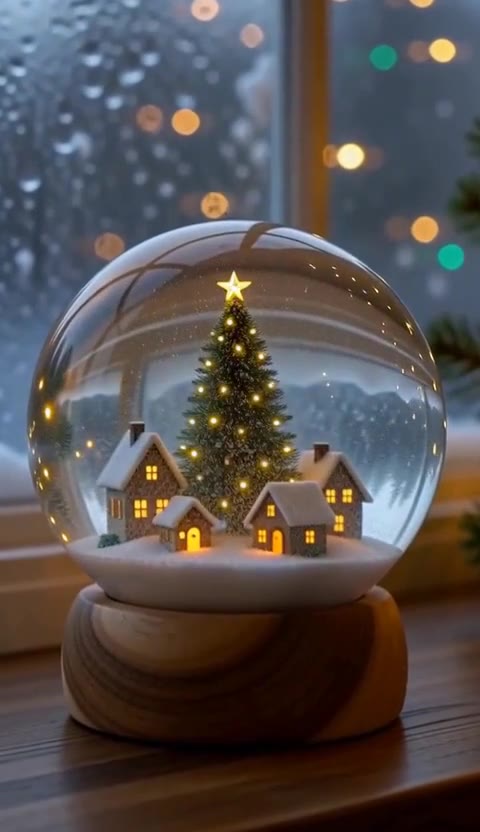
If you have no picture to filter, the AI Christmas video page draws a snow globe, a fireside tree or a reindeer from text, with three recorded clips to watch first.
What to check in the clip
Play it once with the sound on. The face or the pet should still look like the photo; the hat should sit on the head and not float; the bulbs should not spell anything. Models sometimes draw letters on a wall or a jumper when asked for lights, which is why every prompt ends by asking for no writing. If a face drifted, a sharper, better-lit photo helps more than a longer prompt.
Christmas filter prompt ideas
Copy one into the prompt box above and adapt it to your shot. Or write your own shot by shot in the prompt generator.
“The photo is the first frame, and the camera holds still. A red Santa hat with a white fur trim and a white pompom settles gently onto the head of the main subject, as if lowered from above, and a light dusting of snow sparkles in the air around them. The face, body, colours and background stay as in the photo; only the hat and the snow are new. One continuous shot, no cuts. Sound: a soft jingle of bells and a quiet breath of winter wind, no music, no voices. No writing, no letters, no logos.”
“The photo is the first frame, and the camera holds still. A string of warm coloured Christmas bulbs, red, green and gold, lights up one bulb at a time around the main subject, and the whole picture takes on the warm evening tone of a room lit by a tree, with soft out-of-focus points of light behind. The subject keeps its face, pose, colours and framing. One continuous shot, no cuts. Sound: a tiny click as each bulb comes on and a faint bell, no music, no voices. No writing, no letters, no logos.”
“The photo is the first frame, and the camera holds still. Fine snow begins to fall across the picture and settles lightly on the hair and shoulders of the main subject, while a warm golden light rises from one side as if a fire or a lit window were near and the colours grow richer. The subject keeps its face, pose and framing. One continuous shot, no cuts. Sound: muffled snowfall and one distant sleigh bell, no music, no voices. No writing, no letters, no logos.”
Christmas filter FAQ
Tested on Cicadas · reviewed 2026-10-28
Recorded on 2026-10-28 (two clips, docs/research/claude-newpages-20261028/samples/): the MiniMax H3 Max image-to-video path, photo as the first frame, 5 seconds at 480P, on the site's sample man and sample dog. The Santa hat drops in from above and settles on the head within the first second; the string lights come on bulb by bulb around the dog with a lit tree appearing in the window behind; no lettering, faces and markings unchanged. Not run: the Snowy glow prompt, 10 and 15 seconds, 768P.
Updated Oct 28, 2026 · How we test
Related tools
 MiniMax H3 Max · Recorded Cicadas sample
Christmas Card Video Maker
Christmas card video from one photo: your picture, pet or product becomes a 5-second clip with falling snow or twinkling lights, and you type the greeting over it in your browser. 63 credits.
MiniMax H3 Max · from 63 credits
Tested 2026-10-27
AI Snow Effect Video Generator
AI snow effect video: animate a photo with falling snow or describe a winter scene. Make a 5–15 second clip with sound; 5 seconds costs 63 credits.
MiniMax H3 Max · from 63 credits
 MiniMax H3 Max · Recorded Cicadas sample
AI Christmas Video Generator
AI Christmas video generator: a snow globe, a fireside tree or a curious reindeer as a 5-second vertical clip with sound. 63 credits, no photo needed.
MiniMax H3 Max · from 63 credits
Tested 2026-10-13
 MiniMax H3 Max · Recorded Cicadas sample
AI Santa Video Generator
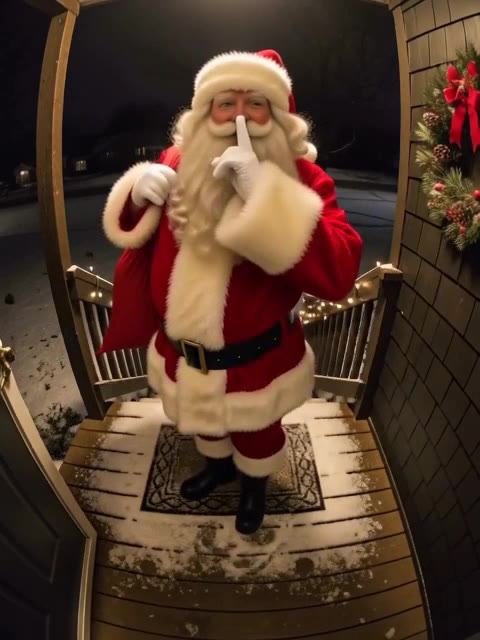
AI Santa video generator: add a photo of your living room or front door and Santa walks in, leaves a present or says a name. From 63 credits, with sound.
MiniMax H3 Max · from 63 credits
Tested 2026-10-12