
How to write AI video prompts for Veo 3.1, Kling 3.0 and Seedance 2.5, with 12 copy-ready examples
A six-part shot formula that every current video model reads the same way, model-specific notes for Veo, Kling and Seedance, twelve prompts you can paste as they are, and fixes for the five most common failures.
Video models are not chatbots. They do not want a mood board; they want a shot list. The formula below is what our own page prompts use, and it produces usable first takes on Veo 3.1, Kling 3.0, Seedance 2.5, Wan 3.0 and the rest of the model line-up.
The six-part shot formula
Write one sentence per shot, in this order:
- Subject: who or what is in frame, with two or three visual details ("a barista in a linen apron").
- Action: one clear verb with a direction ("pours latte art, steam rising").
- Camera: shot size and movement ("handheld close-up, slow push-in").
- Light and place: time of day and light quality ("sunlit café, warm window light").
- Sound: ambience, effects, and any spoken line in quotes ("soft chatter; she says 'there you go'").
- Cut: only if you want a second shot; start a new sentence with a new camera.
A prompt that has all six is rarely misread. A prompt missing the verb or the camera is where most "static" and "boring" results come from.
Length, ratio and audio
- Draft at the shortest duration the model offers (4 or 5 seconds on most models, 6 on LTX-2.5 Fast), then re-run the final take longer. Credits are per second, so the draft is cheap.
- 9:16 for TikTok, Reels and Shorts; 16:9 for YouTube and web; 1:1 for feed ads. Describe the framing for the ratio: vertical shots want the subject centred and closer.
- Audio on only when the shot needs it. Kling 3.0 Pro, Veo 3.1 Fast, Seedance 2.5, Seedance 2.0, Wan 3.0 Prime and LTX-2.5 Fast let you switch audio off and draft silent; Gemini Omni Flash 1.1, Grok Imagine Video 1.5 and MiniMax H3 Max always render a soundtrack, and Wan 2.7 always returns a native audio track with no on/off switch.
What recorded runs taught us about audio prompts
On September 27, 2026 we generated one example per model and ran each clip's audio through an automated pass — google/gemini-3.5-flash-lite describing what it heard, not a human listening review. One clip per model is not a benchmark, but the pattern was consistent enough to note: models that always render audio sometimes add music instead of the ambience you described, rather than leaving the shot silent or matching it literally.
Two examples made the gap obvious. A Grok Imagine Video 1.5 prompt asked for an astronaut crossing red Mars dunes with wind and footsteps; the audio that came back was calm background music.
A Gemini Omni Flash 1.1 prompt for a cat in a rainy bookshop asked for rain and thunder and also came back with soft ambient music in place of it.
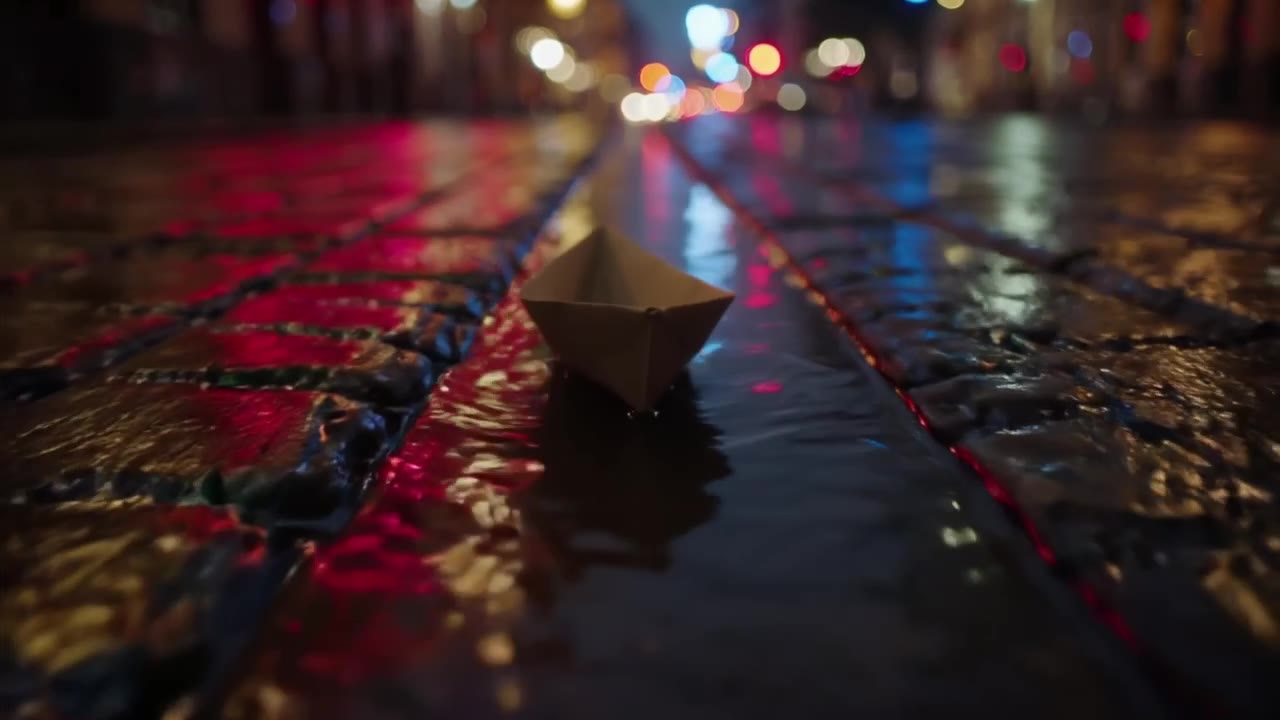
By contrast, the audio-optional models came closer to a literal read in this batch, when audio was switched on deliberately. Paper boats drifting through a wet street gutter on LTX-2.5 Fast came back with a wind-like rustle:
Two practical takeaways for the sound line in your prompt:
- On an always-on model — Gemini Omni Flash, Grok Imagine Video 1.5, or MiniMax H3 Max — describe the sound as specifically as the shot ("wind gusting, boots crunching on sand," not just "windy"), then play the result back before you rely on it. It may still substitute music.
- If the shot depends on a specific sound, start on a silent-capable model — Kling 3.0 Pro, Veo 3.1 Fast, Seedance 2.5, Seedance 2.0, Wan 3.0 Prime or LTX-2.5 Fast — draft silent first, then turn audio on for the take you keep.
One recorded clip per model is a directional signal, not a guarantee for your next prompt. See the full model comparison for durations, resolutions and credit costs across all ten models.
Model notes
Veo 3.1 follows long prompts closely and renders speech well. Put the spoken line in quotes, keep it under about twelve words per 8-second clip, and name the accent or tone if it matters. Use the first/last-frame mode when the beginning and end of a shot are fixed.
Kling 3.0 is the motion specialist. Use concrete physical verbs (sprints, whips, splashes), name the speed (slow motion, real time), and add a camera move; it rewards "tracking low along the ground" more than adjectives. Multi-shot prompts work on the Pro tier: one sentence per shot.
Seedance 2.5 cuts between sentences when the camera or scene changes and holds a take for up to 30 seconds. For a long single take, keep one camera and describe how the action evolves over time ("she walks from the door to the window, the light shifting from blue to gold").
Image-to-video on any model: the image sets subject, framing and colours; the prompt should only describe motion and camera. Do not re-describe what is already in the picture.
Twelve prompts you can paste
- Product, 9:16, 6 s, Veo 3.1 Fast: Clean studio shot of a matte black water bottle on a white table, slow 180-degree turntable rotation, soft rim light sweeping across the label, no text on screen.
- UGC ad, 9:16, 8 s, Veo 3.1: Phone-shot selfie in a bright kitchen, a woman in her thirties holds a coffee bag toward the camera and says "three weeks in and I'm not going back", natural morning light, casual delivery.
- Anime, 16:9, 5 s, Kling 3.0: Cel-shaded anime, a schoolgirl runs across a bridge at sunset, hair and skirt moving in the wind, cherry petals drifting, camera tracking beside her, upbeat piano.
- Nature, 16:9, 8 s, Veo 3.1: Drone rising over a misty pine forest at dawn, golden light breaking through the canopy, slow forward drift, wind and distant birdsong.
- Food, 1:1, 5 s, Seedance 2.5: Macro shot of honey pouring onto a stack of pancakes on a rustic wooden table, morning window light, slow tilt down, gentle sizzle off-screen.
- Action, 16:9, 10 s, Kling 3.0: Two martial artists sparring in a rain-soaked alley under neon signs, slow-motion strike then a real-time counter, water splashing, drum hits synced to impacts, low tracking camera.
- Music video, 9:16, 15 s, Seedance 2.5: A singer under a single spotlight in an empty warehouse, smoke drifting, camera orbiting slowly. Cut to a close-up on the chorus, lens flare, breath visible.
- Dialogue, 16:9, 8 s, Veo 3.1: Two friends on a rooftop at night, city lights behind them, medium two-shot; one says "we should have done this years ago", the other laughs, distant traffic.
- Faceless b-roll, 9:16, 10 s, Seedance 2.5: Minimalist desk at sunrise, coffee steam curling, laptop closed, slow pan across the room, no people, calm productive mood, no text.
- Photo animation, 9:16, 5 s, LTX-2.5 Fast (image-to-video): She blinks, smiles softly and a light breeze moves her hair; the camera pushes in very slowly. Keep the framing and colours exactly as in the photo.
- Real estate, 16:9, 10 s, Wan 3.0: Smooth gimbal walk-through from the entrance into a bright living room, afternoon sun through tall windows, gentle room tone, no people.
- Fantasy, 16:9, 8 s, Gemini Omni Flash: A dragon curling around a mountain monastery at dusk, monks ringing a bell, clouds parting, wide shot slowly rising, low orchestral swell.
Paste any of these into the generator on the matching model page and change the nouns first; keep the camera and light words, they carry most of the style.
Five common failures and the fix
- Nothing moves. Add a verb for the subject and a camera move. "A cat on a sofa" becomes "a cat stretches and jumps off the sofa, camera tilting down to follow".
- The face changes between frames. Ask for less: subtle motion, one camera move, no big head turns. On image-to-video, do not describe the face at all.
- Text is garbled. Models cannot spell reliably. Say "no text on screen" and add titles in your editor; keep product labels legible by using image-to-video from a packshot.
- The clip ignores the second shot. Each shot needs its own sentence with its own camera, and enough duration (10 seconds or more for two shots on Seedance and Kling).
- Dialogue is mumbled or too long. Shorten the line, put it in quotes, and give the character a reason to say it in the same sentence.
A workflow that keeps credits low
- Write the prompt with the formula above.
- Use the shortest supported duration on a sample-tested model in the text-to-video workspace. Review its current price and availability; this is not a free or cheapest-model claim.
- Fix the prompt until the draft is right.
- Re-run the final take on the model the comparison recommends for the shot, at the final length, with audio if needed.
- Save prompts together with the exact model, settings and output. Compare them with the recorded sample methodology; untested prompt drafts are not a validated library.