
Text Animation Maker: Type It, Pick a Motion, Download
Free text animation maker: type up to three lines, pick typewriter, word by word, fade, pop, rise, wipe, focus or shine, and download an MP4 or GIF. No upload.
- Free
- in your browser
- no watermark
Animate your text
Runs in your browser. Nothing is uploaded.1920 × 1080 · press Enter for a new line; longer than 40 characters wraps ·
MP4 has no transparency, so both files use the background colour. GIFs run at 15 frames a second.
About text animation on Cicadas
Type a line or three, pick how the words arrive and download the result as an MP4 or a GIF. There are eight motions: Typewriter, Word by word, Fade in, Pop, Rise, Wipe, Focus and Shine, each as an intro, an outro or both, 2 to 8 seconds long, in 16:9, 9:16 or 1:1. The words are set in a font on a canvas, not drawn by an AI model, so they are spelled exactly as you typed them. Everything runs in your browser: nothing is uploaded, there is no watermark and no account is needed.
For a logo file rather than typed words, the logo animation maker uses the same motions. Whole scenes with charts, lists or several steps are on the AI motion graphics generator, and a finished MP4 becomes a GIF of any part of it on video to GIF.
Why use Cicadas for text animation
Your words, spelled right
AI video models draw text as pictures and often misspell it. This tool sets your words in a real font and moves them, so every letter is the one you typed, in English, Chinese or any language your device has a font for. The five font styles (geometric, clean sans, serif, mono and heavy) shape Latin letters; Chinese and Japanese use your device's fonts (a serif face with Serif, otherwise a sans).
Eight motions, two made for text
Typewriter shows the text one character at a time with a caret, and Word by word lifts each word (each character in Chinese) into place in turn. The other six move the lines as one block, the same motions as our logo animation maker. When the text arrives and stays, every motion ends on the full text held still, so the file cuts cleanly into a video.
Any shape, any colour
Wide 16:9 suits YouTube and slides, tall 9:16 suits Reels, Shorts and TikTok, square 1:1 suits feeds; each comes in 720p or 1080p. Choose the text colour and the background colour, or give the GIF a transparent background for stickers and overlays.
How to use text animation
- 01
Type your text in the box: up to three lines of 40 characters; a longer line wraps onto the next. The preview plays as you type.
- 02
Pick a motion, a font, the text size and colours, then whether the text arrives, leaves or both, the length and the shape.
- 03
Click Make MP4 or Make GIF, then download the file.
Text animation examples made on this page
Both clips under the tool were exported here on 2026-11-04 in Chrome. The wide one is Typewriter on "Big news / Coming Friday" in the Geometric font, white on black, as a 4-second 1920 × 1080 intro: a 0.08 MB file whose last 2.5 seconds hold the full text with the caret gone. The tall one is Word by word on "New drop / Friday 6 pm" in Heavy, yellow on black, 4 seconds at 1080 × 1920: 0.24 MB, made in under 2 seconds. In the same test, a Chinese two-line Word by word clip moved one character at a time, Shine on white text passed as a dark shade, and a transparent GIF of one bold word was 74 KB. The files you make are only in your browser, so download them before you leave the page.
Text animation for an intro, a title card or a caption
Most text animations do one of three jobs. An intro or a title card opens a video on a line of text: pick 16:9 or 9:16, Arrives and stays, and 3 or 4 seconds, so the cut to your footage lands on still text. An outro or an end card does the reverse with Starts on screen, then leaves. A caption or a sticker sits on top of other footage: make it as a transparent GIF, or as an MP4 on a plain colour that your editor can key out.
Text animation or a logo animation
If what you want to animate is a logo file, use the logo animation maker: it moves your PNG or SVG with the same six block motions, keeps its colours, and can turn it into a 5-second AI intro. If it is words, this page sets them in a font, so you can change a letter in a second and the result is always sharp.
What you can make
Type your own words into the tool above, then pick the animation that fits.
“A 9:16 title card for a Reel: "New drop / Friday 6 pm" in Heavy, white on black, Word by word.”
“A YouTube lower third you place over footage: one line in Clean sans, typed out with Typewriter.”
“A transparent GIF of one bold word with Pop, to drop into a story or a chat.”
Text animation FAQ
Tested on Cicadas · reviewed 2026-11-04
Tested on 2026-11-04 in Chrome (Chrome for Testing, headless, on a Mac) on a local production build; not tested in Safari, Firefox or on a real phone, though a 390-pixel phone view was checked for layout. Eight files were exported through this page: Typewriter 16:9 1920 × 1080 4 s (0.08 MB), Word by word 9:16 1080 × 1920 4 s in Heavy (0.24 MB), Shine on white text 3 s (0.14 MB), Focus in and out 6 s in Serif (0.56 MB), Pop in Chinese 720 × 720 3 s (0.17 MB), Word by word in Chinese 4 s (0.17 MB), a transparent 480 × 480 GIF of one bold word (74 KB) and a 480 × 270 Typewriter GIF (5 KB). After the first export of the session, which took 13.5 seconds, each took 0.8 to 2.8 seconds. ffmpeg read the MP4s as H.264 at 30 frames per second with no sound track. No network request was sent while exporting. Frame sheets confirmed that every clip set to arrive and stay ends on the full text at rest and that the Typewriter caret is gone once the text is in.
Updated Nov 4, 2026 · How we test
Related tools
 Intros and outros from your own logo file
Logo Animation Maker: Animate Your Logo, Letters Untouched
Free logo animation maker: upload a PNG or SVG, pick fade, pop, rise, wipe, focus or shine, and download an MP4 intro or outro. No watermark, no upload.
Free · runs in your browser
Tested 2026-10-18
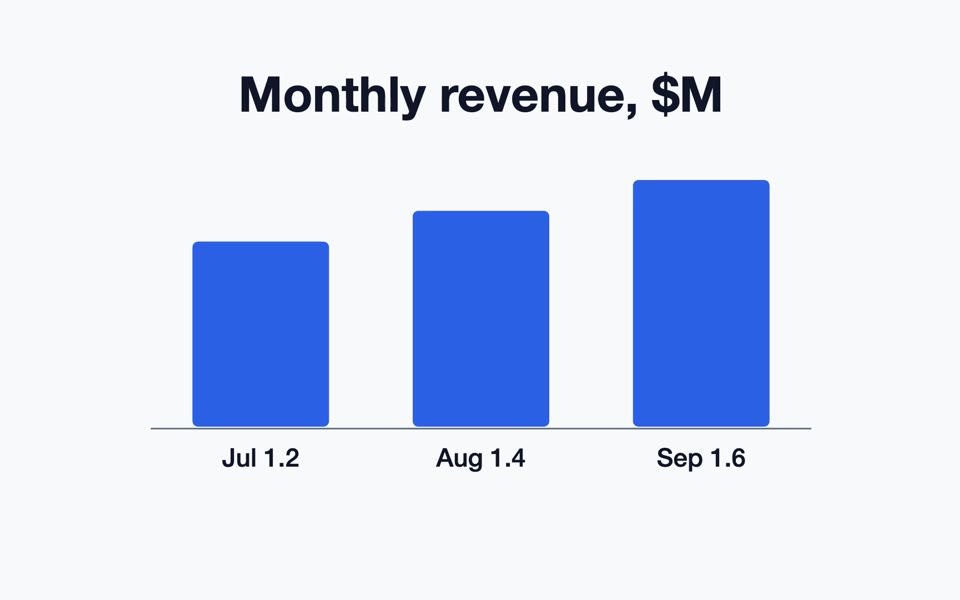 A bar chart made from a template
AI Motion Graphics Generator: Type It, Get an Animated MP4
Free motion graphics generator: fill in a template (steps, big number, bar chart, launch teaser, quote) or let a chat model write the scene. MP4, no watermark.
Free · runs in your browser
Tested 2026-10-10
 Turn your own clip into a GIF
Video to GIF Converter: MP4 to GIF in Your Browser
Convert video to GIF without uploading it. This free MP4 to GIF converter runs in your browser: trim the clip, pick 5–20 fps and a width, download the GIF.
Free · runs in your browser
Tested 2026-10-01
 Turn a GIF into an MP4 you can post
GIF to MP4 Converter: Turn a GIF into Video in Your Browser
Convert GIF to MP4 without uploading it. This free converter keeps every frame and its timing, can repeat short loops and runs in your browser.
Free · runs in your browser
Tested 2026-10-01