
AI Talking Photo Generator
Talking photo from one picture of you: type a line and the person in the photo says it in a 5-second clip, or attach your own recording. MiniMax H3 Max, 63 credits, adults only.
AI Talking Photo Generator makes the person in your photo say a sentence you type: MiniMax H3 Max animates the photo and produces the voice in one pass, with the lips moving while the line is spoken. You can attach your own recording instead of a generated voice. A 5-second clip is 63 credits, about $0.62 on the $9.90 first pack, quoted before you generate.
- From 63 credits per clip
- Image to video
- 5s / 10s / 15s
- 480P
- Audio available
Sample result
5s · MP4About talking photo on Cicadas
A talking photo is a still picture of a person that opens its mouth and speaks. On this page the person is you, or an adult who agreed to appear, and the words are yours: upload one photo, write the line between the quotation marks in the prompt, and MiniMax H3 Max returns a clip in which the face from your photo looks at the camera and says it, in a voice the model makes from your description (warm, deep, cheerful) or in your own voice if you attach a recording under the photo. The photo is the first frame, so the face, the hair and the room stay as photographed and only the mouth, the eyes and a small movement of the head are new. The clip is 5, 10 or 15 seconds and the sound is always on. The mouth moves with the words but it is not matched sound by sound; the Santa and talking-pet pages, which use the same model, got their lines word for word. Photos of children are not accepted. A 5-second clip is 63 credits.
For a pet rather than a person, talking pet runs the same model with lines written for animals. If you already have a video and a recording, lip sync fits the mouth to the audio; for motion with no speech at all, animate a photo. To make the recording first, use Gemini TTS or ElevenLabs v4.
Talking photo examples made on Cicadas
Hello: she says the greeting line.
MiniMax H3 Max image to video, 5 seconds at 480P, from the site's AI-made 3:4 photo of a woman in a hallway, with the greeting line written between quotation marks in the prompt. Sent once. She looks into the camera, smiles and speaks; the head tilts and the mouth moves with the words. A listener (fal Wizper, request 01a18275-dacc) wrote down every word of the line: "Hi, it's me. Yes, this photo can talk now." Her face stays hers. Published with the sound.
Use this recipe ↗Birthday: he says the birthday wish.
MiniMax H3 Max image to video, 5 seconds at 480P, from the site's AI-made 3:4 photo of a man in a car park at dusk, with the birthday line written between quotation marks in the prompt. Sent once. He grins, laughs and speaks straight to the camera; the mouth moves with the words. A listener (fal Wizper, request 01a18276-0967) wrote down every word: "Happy birthday! I wish I were there to hug you today." Face, jacket and background stay as photographed. Published with the sound.
Use this recipe ↗Why use Cicadas for talking photo
Write the line, hear it spoken
The three scenes carry a short greeting, a birthday wish and a thank-you, each inside quotation marks in its prompt. Replace the words with your own and describe the voice in the same sentence. About eight to twelve words fit in 5 seconds; a longer message needs 10 or 15 seconds.
Or use your own voice
Under the photo you can add a recording (MP3, WAV or M4A, a phone voice memo is enough, at least 2 seconds). The clip then plays that recording as its sound and the mouth moves along with it, at the same price. Your voice is used as it is: nothing is cloned, nothing is rewritten.
The face stays yours
Your photo is the first frame. The model does not draw a new person, does not swap the face onto another body and does not place it into anyone else's video. Lighting, clothes, hair and background remain as photographed; what changes is the mouth, the eyes and a slight turn of the head.
Price shown before you press
A 5-second clip at 480P is 63 credits, about $0.62 on the $9.90 first pack of 1,000 credits; 10 seconds is 125 and 15 seconds is 188. At 768P the same lengths cost 100, 200 and 300. Attaching a recording costs nothing extra. A failed generation refunds its credits; a finished clip you dislike is still charged.
How to use talking photo
- 01
Sign in and add one clear, front-facing photo of yourself or of an adult who agreed, with the whole face and the mouth visible. No photos of children.
- 02
Pick a scene, replace the words between the quotation marks with your line and describe the voice; or attach your own recording under the photo. Choose 5, 10 or 15 seconds and read the quote.
- 03
Generate, then listen to the whole clip once: check the words and the mouth before you share it. Download from My videos.
Talking photo, lip sync or animate photo?
Three pages, three inputs. This one takes a photo and a typed line (or a recording) and makes the person speak. The lip sync page takes a video you already have and an audio file, and re-times the mouth to the audio; it does not invent a voice. The animate photo page takes a photo and adds small silent motion with the expression left alone. If you have a clip of yourself and a recording, lip sync is the better fit.
Photo tips that matter here
A front-facing or slightly turned face, sharp, evenly lit, with the mouth closed or barely open in the photo: the model has to open it, and a wide grin in the still makes the words look stiff. Leave some room around the head; a tight crop at the chin gives it nowhere to move. The clip keeps the shape of your photo, so a vertical selfie gives a vertical video.
Make your pet talk instead
For a dog or a cat, the talking pet page runs the same model with lines and voices written for animals and four recorded clips to listen to first.
Motion without words
If the photo should move but not speak, a blink, a smile, a turn of the head, the animate photo page does that on a silent model at a lower price per second.
Talking photo prompt ideas
Copy one into the prompt box above and adapt it to your shot. Or write your own shot by shot in the prompt generator.
“The person in the photo looks into the camera, smiles slightly and says in a warm, natural voice: "Hi! It's me. Yes, this photo can talk now." Their lips move with each word and the head moves a little, as in a video call. Face, hair, clothes, lighting and background stay as in the photo. Fixed camera, one continuous shot. No music, no other people, no text.”
“The person in the photo looks into the camera, smiles and says in a bright, cheerful voice: "Happy birthday! I wish I were there to hug you today." Their lips move with each word and the eyes crease with the smile. Face, hair, clothes, lighting and background stay as in the photo. Fixed camera, one continuous shot. No music, no other people, no text.”
“The person in the photo looks into the camera, nods once and says in a calm, sincere voice: "Thank you for everything this year. This one is for you." Their lips move with each word and the expression stays gentle. Face, hair, clothes, lighting and background stay as in the photo. Fixed camera, one continuous shot. No music, no other people, no text.”
Talking photo FAQ
Tested on Cicadas · reviewed 2026-10-28
Recorded on 2026-10-28 (two clips, docs/research/claude-newpages-20261028/samples/): the MiniMax H3 Max image-to-video path with the line between quotation marks in the prompt, 5 seconds at 480P, sound on, on the site's AI-made sample adults. A listener (fal Wizper) wrote down both lines word for word; the mouths move with the words, the heads tilt or laugh, the faces stay the samples'. Not run: the own-recording option on a person's photo (verified on the talking-pet page only), languages other than English, a name in the line, 10 and 15 seconds, 768P.
Updated Oct 28, 2026 · How we test
Related tools
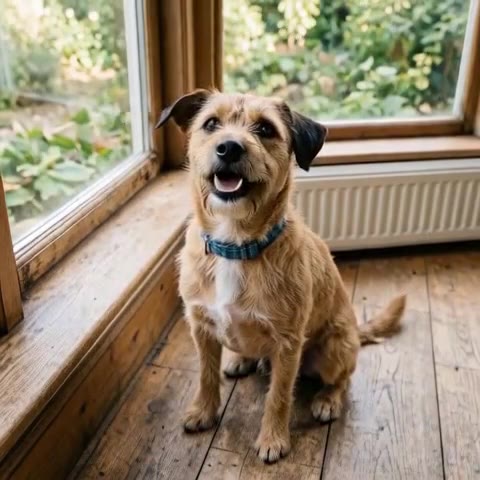 MiniMax H3 Max · Recorded Cicadas sample
Talking Pet AI Video Generator
Talking pet AI: add one photo of your pet, write a line, and it says it in a short video with a voice. From 63 credits on MiniMax H3 Max. Pets only.
MiniMax H3 Max · from 63 credits
Tested 2026-10-18

AI Lip Sync
Make a talking-head video match new speech and get a private MP4 back. This AI lip sync tool runs Sync Lipsync 2 and costs 12.5 credits per second of video.
Tested 2026-09-29
 Kling 3.0 Pro · Recorded Cicadas sample
Animate Photo AI
Animate photos with AI: one photo becomes a silent 5- or 10-second MP4 with one small motion you pick. AI photo animation on Kling 3.0 Pro, price shown first.
Kling 3.0 Pro · from 140 credits
Tested 2026-09-29
 MiniMax H3 Max · Recorded Cicadas sample
AI Santa Video Generator
AI Santa video generator: add a photo of your living room or front door and Santa walks in, leaves a present or says a name. From 63 credits, with sound.
MiniMax H3 Max · from 63 credits
Tested 2026-10-12