
Snow Globe Video Maker
Make a snow globe video from one photo: you, your pet or the two of you as tiny figures inside a glass globe while the snow swirls. 63 credits for 5 s.
This snow globe video maker turns one photo into a short clip of a glass snow globe: the person, pet or couple from your photo stands inside as a tiny figure, a hand rests on the globe and the snow swirls and settles. MiniMax H3 Max draws the globe around your photo; 5 seconds at 480P is 63 credits, quoted before you generate.
- From 63 credits per clip
- From your photos
- 5s / 10s / 15s
- 480P
- Audio available
Sample result
5s · MP4 Your photo
About snow globe video on Cicadas
A snow globe video puts someone you love inside the glass: a small winter scene, a tiny version of them waving from the middle, and snow swirling around them as it settles. It suits a Christmas greeting or a winter post. This page makes it from one photo. Pick the person, pet or couple scene, add a clear photo, and MiniMax H3 Max builds the globe, the miniature scene and the falling snow around it in a vertical clip of 5 seconds by default.
For a December scene drawn from text, see the AI Christmas video; to have Santa walk into a photo of your room, the AI Santa video; to keep your photo as it is with snow falling over it, the snow effect. Your pet can also dress up for October in the AI pet Halloween costume.
Snow globe video examples made on Cicadas
Waving from inside the snow globe.
MiniMax H3 Max reference to video, 5 seconds at 480P with sound, vertical, from the site's sample photo of a woman. A glass globe stands on a wooden mantel in front of string lights; inside, a tiny version of her waves among snowy cottages and pine trees. A hand rests on top of the globe, the snow clouds the glass and settles, and the camera pushes in until the glass shows only at the edges of the frame. Her curly hair, mustard sweater and jeans match the photo. No lettering appears. The sound was not listened to.
- Your photo
The cat inside the snow globe.
MiniMax H3 Max reference to video, 5 seconds at 480P with sound, vertical, from the site's sample photo of a tabby. The globe sits on a windowsill with snow falling outside; inside, the cat sits in the snow beside a small pine tree. A hand rests on top, the snow clouds the glass and clears as the camera pushes in. The grey stripes and white chest match the photo. The sound was not listened to.
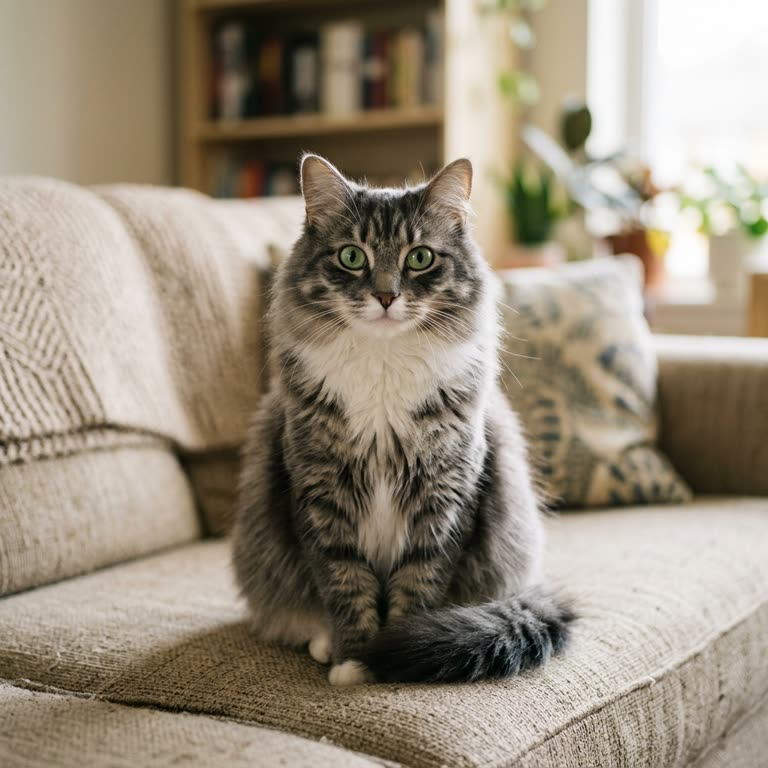 Your photo
Why use Cicadas for snow globe video
You, your pet or the two of you inside the glass
The photo is a reference, not the first frame, so the model can shrink your subject into a miniature inside the globe. Each scene asks the model to keep the face, hair and clothes, or a pet's face, coat and markings, at miniature scale. Small figures carry less detail than a portrait, so expect a likeness rather than an exact copy; in our two clips the hair, sweater and jeans, and the cat's stripes, matched the photos.
A shake, a swirl, the snow settles
Every scene asks for the same moment: a hand gently shakes the globe, the snow swirls around the tiny figure and slowly settles while the camera pushes in. The three prompts are fixed; you choose the scene, not the wording.
No lettering in the globe
The scenes ask for no text and no logos, because video models misdraw letters. Add a name or a greeting in your editor, or use the [Christmas card video](/ai-christmas-card-video), which types a greeting over the clip in your browser.
Price before you generate
At 480P, 5 seconds is 63 credits, about $0.62 on the $9.90 first pack of 1,000 credits; 10 seconds is 125 and 15 seconds is 188, and 768P makes them 100, 200 and 300. The quote sits on the button, and a failed job returns its credits.
How to use snow globe video
- 01
Sign in and pick a scene: On the mantel (one person), Tiny winter garden (a pet) or Snowy bench (two adults).
- 02
Add one clear, well-lit photo, keep 5 seconds or choose 10 or 15, and check the quote.
- 03
Tick the photo confirmation, generate, and download the MP4 from My videos.
A snow globe video as a Christmas greeting
The globe reads as a gift at a glance, which is why it works as a December message: send the clip on its own, or add a line of text in your editor before you share it. For a scene with Santa in it, see the AI Santa video; for a greeting typed over your own photo, the Christmas card video.
Which photo works best
A face looking roughly toward the camera, even light and nothing covering the subject give the model the most to keep when it shrinks the figure. For the Snowy bench scene use one photo with both adults in it; group photos with more people, sunglasses and heavy filters make the miniature harder to hold.
Snow globe or snow effect
This page builds a new scene: a globe, a miniature and a tiny village. If you want your own photo kept as it is with snow falling over it, use the snow effect instead.
Snow globe video prompt ideas
These are the tested scenes on this page. Each scene is fixed and its prompt is read-only: pick one above, or press “Use this prompt”.
“A glass snow globe on a wooden mantel beside warm string lights, vertical, one continuous shot. Inside the globe, a tiny miniature of the person from Image 1 stands in a small snowy village square, smiles and waves up at the camera. A hand gently shakes the globe and white snow swirls around the tiny figure, then slowly settles. The camera pushes in slowly toward the glass. Keep the person's face, hair and clothes as in the photo, at miniature scale. Sound: a soft glassy shake and quiet room tone, no music. No text, no logos, no other people.”
“A glass snow globe on a windowsill at dusk with snow falling outside, vertical, one continuous shot. Inside the globe, a tiny miniature of the pet from Image 1 sits in fresh snow under a little pine tree and looks up at the camera. A hand gently shakes the globe, snow swirls around the pet, it blinks and tilts its head as the flakes settle. The camera pushes in slowly toward the glass. Keep the pet's face, fur colour and markings exactly as in the photo, at miniature scale. Sound: a soft glassy shake and quiet room tone, no music. No people inside the globe, no text, no logos.”
“A glass snow globe on a table next to a lit candle, vertical, one continuous shot. Inside the globe, tiny miniatures of the two consenting adults from Image 1 sit side by side on a little park bench under a lamp post in the snow, then turn and smile at the camera. A hand gently shakes the globe and snow swirls around them, then slowly settles. The camera pushes in slowly toward the glass. Keep both faces, hair and clothes as in the photo, at miniature scale. Sound: a soft glassy shake and quiet room tone, no music. No text, no logos, no other people.”
Snow globe video FAQ
Tested on Cicadas · reviewed 2026-11-02
Local implementation, 2026-11-02. Three locked MiniMax H3 Max reference-to-video scenes (one person, one pet, two adults inside a snow globe). Two samples recorded on 2026-11-02 (docs/research/claude-snowglobe-invite-20261102/samples/, owner cap USD 1.75 for this page and the birthday invitation page, USD 0.25 each at list price), 5 seconds at 480P, vertical, sound on: On the mantel (sample woman) and Tiny winter garden (sample tabby). In both a hand rests on the globe, the snow clouds the glass and settles, and the camera pushes in; hair, sweater and jeans, and the cat's stripes and white chest, match the photos, and no lettering appears. Not run: the Snowy bench scene, 10 and 15 seconds, 768P. The audio was measured, not listened to. Photos of children, celebrities and public figures are excluded by the page's consent line.
- MiniMax H3 Max reference-to-video API specification
- Somake: snow globe video effects (an existing tool for the same search, read 2026-11-02)
Updated Nov 3, 2026 · How we test
Related tools
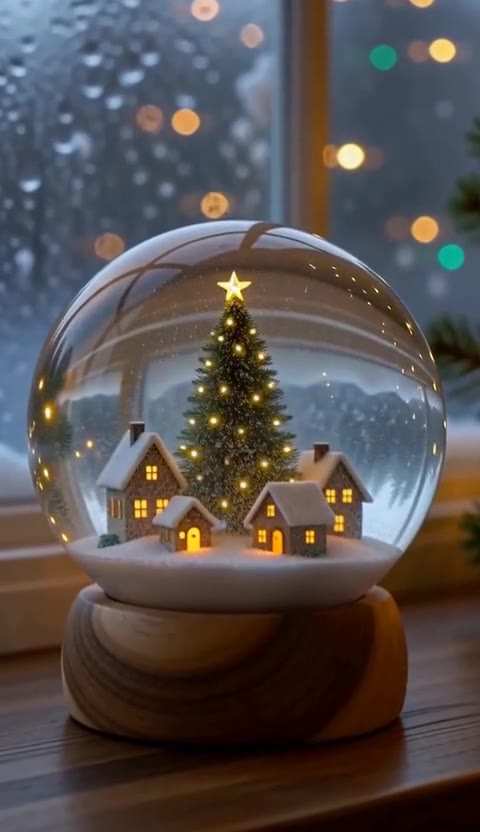 MiniMax H3 Max · Recorded Cicadas sample
AI Christmas Video Generator
AI Christmas video generator: a snow globe, a fireside tree or a curious reindeer as a 5-second vertical clip with sound. 63 credits, no photo needed.
MiniMax H3 Max · from 63 credits
Tested 2026-10-13
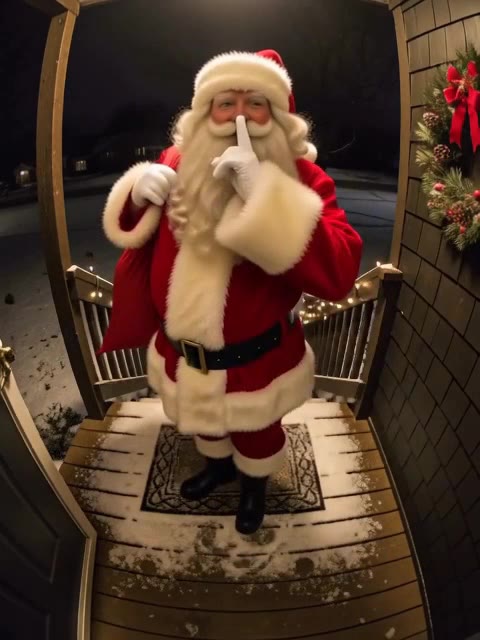 MiniMax H3 Max · Recorded Cicadas sample
AI Santa Video Generator
AI Santa video generator: add a photo of your living room or front door and Santa walks in, leaves a present or says a name. From 63 credits, with sound.
MiniMax H3 Max · from 63 credits
Tested 2026-10-12
 MiniMax H3 Max · Recorded Cicadas sample
Christmas Card Video Maker
Christmas card video from one photo: your picture, pet or product becomes a 5-second clip with falling snow or twinkling lights, and you type the greeting over it in your browser. 63 credits.
MiniMax H3 Max · from 63 credits
Tested 2026-10-27
AI Snow Effect Video Generator
AI snow effect video: animate a photo with falling snow or describe a winter scene. Make a 5–15 second clip with sound; 5 seconds costs 63 credits.
MiniMax H3 Max · from 63 credits