
Creative workflows
How to Add Music to an AI Video: 3 Ways and What Each One Costs
Ask for music in the prompt, attach your own track, or add it in an editor. We tested the first on two models: both played the guitar we asked for.
Video examples here were generated on Cicadas and keep their model, settings and date. Cicadas earns money when you generate with these models. How we test
- Test window:
- 2026-09-08 – 2026-11-13
- Clips recorded with these models:
- 201
- Models:
- MiniMax H3 Max, Veo 3.1 Fast
- Their provider cost:
- ≈$67.88
- Selection:
- every clip we keep is listed with its settings, cost and request ID; failed or discarded runs are listed in the test record.
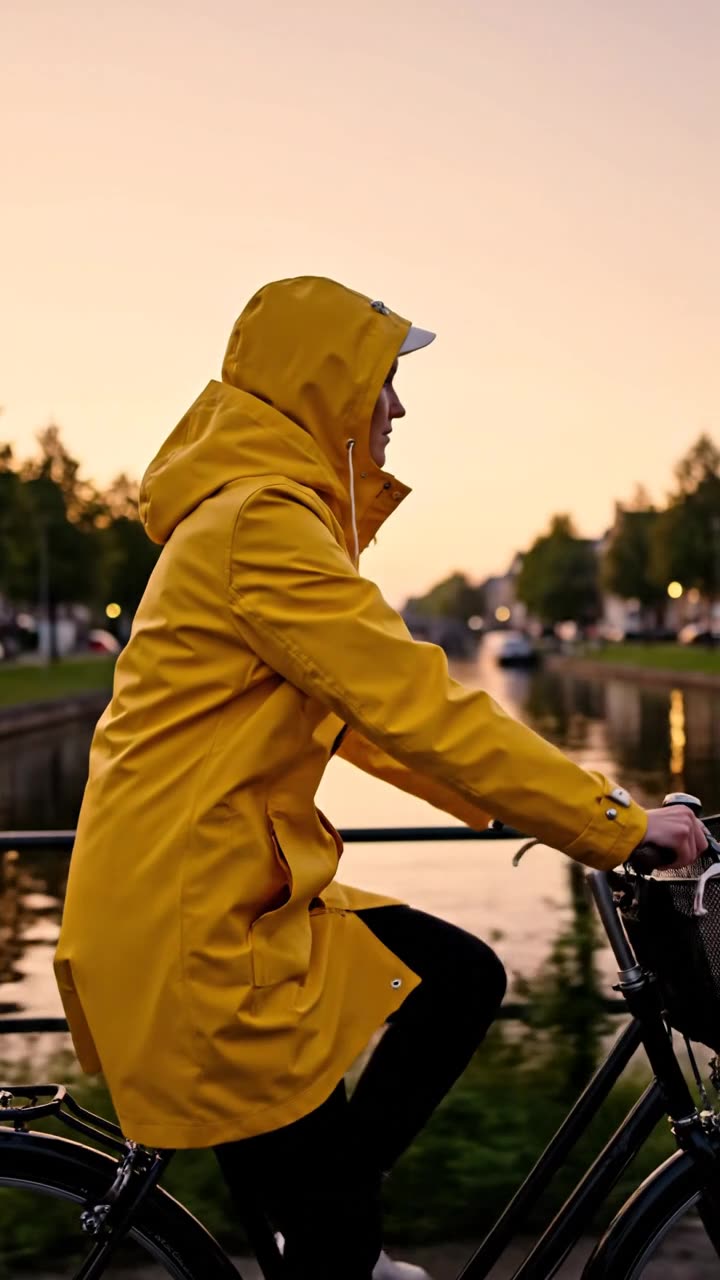
Short answer: there are three ways to add music to an AI video. Ask for it in the prompt, on a model that makes sound with the picture. Attach your own track, on a page that takes one. Or add a track in a video editor after you download the clip. We tested the first way on 2026-11-15 on two models, and both played the acoustic guitar we asked for.
This post is by the people who run Cicadas and links to our own pages. The two test clips were made that day through each model's API with one prompt. Nobody on the team listened to them: two automated listeners (Gemini 3.5 Flash Lite and Gemini 3.5 Flash) were given only the sound and asked to describe it.
Three ways, side by side
| Way | What you need | When the music is added | What you control |
|---|---|---|---|
| Ask in the prompt | A model that returns sound, and a line such as "Sound: a gentle acoustic guitar melody" | With the picture, in one generation | The kind of music in words; not the tune |
| Attach your own track | An audio file you may use, and a page with an own-audio mode | With the picture, in one generation | The exact recording; the picture loosely follows it |
| Add it in an editor | The finished MP4 and an audio file | Afterwards | Everything: the track, where it starts, the volume |
Way 1: ask for music in the prompt
The prompt we ran on both models:
A woman in a yellow raincoat rides a bicycle slowly along a canal at sunrise, seen from the side, the camera moving with her. Sound: a gentle instrumental acoustic guitar melody as background music, with no speech and no singing.
| Model | Clip | What the two listeners heard | Price on Cicadas |
|---|---|---|---|
| MiniMax H3 Max | 5 seconds, 480P, 9:16 | "A rhythmic, upbeat acoustic guitar melody"; "a gentle acoustic guitar plays a fingerpicked melody throughout". No speech or singing | 63 credits |
| Veo 3.1 Fast | 4 seconds, 720p, 9:16 | "The gentle plucking of an acoustic guitar"; "a short, gentle acoustic guitar melody with no speech, singing, or background noise" | 150 credits |
MiniMax H3 Max, 5 seconds: the music was generated with the picture.
Veo 3.1 Fast, 4 seconds, from the same prompt.
What this way gives you: music that fits the mood you wrote, with nothing to upload. What it does not: a tune you chose. The model writes the music from your words, the music is as long as the clip, and we ran one take per model, so we cannot say how often the request is followed. A sound request is not always followed closely: on our AI video with sound page, a recorded desert clip asked for wind and sand and came back with footstep-like taps and a low thump.
Where to do it: AI video with sound runs Veo 3.1 Fast, and every clip made there has a sound track: 4 seconds is 150 credits, 6 seconds 225 and 8 seconds 300. For how other models on the site handle sound, see AI video with sound: what each model actually played.
Way 2: attach your own track
Some pages take an audio file and use it as the clip's sound. For music, that is the Use my music mode on the cat dance page:
| File | MP3, WAV or M4A, at least 2 seconds, up to 15 MB |
| Clip | 5, 10 or 15 seconds, made with MiniMax H3 Max from your photo |
| Price | 63 credits for 5 seconds at 480P, the same as without your track |
| Fit | The dance loosely follows how loud the music is, not every beat |
| Length | Music longer than the clip is cut at the end; shorter music is followed by silence |
| Account | You sign in to upload; the file is deleted 30 days after upload |
Use only music you have the right to use: a track you made, or one you have a licence for. The page does not check rights, and there is no song library on the site.
Way 3: add the track in an editor
This is the way that works for any clip, including one you have already made. Download the MP4, open it in the video editor you use, put the audio file on a track under it, and export. It is also how to keep one piece of music running across several clips joined together, because each AI clip is generated on its own.
Cicadas does not have a page that adds a music track to a finished clip. Two pages make things you can bring to the editor:
- The AI sound effect generator makes single effects and ambience as MP3s of 1 to 22 seconds, at half a credit per second. It makes effects, not songs.
- The lyric video maker goes the other way round: you give it a song and its lyrics, and it builds a video with the words on screen in time. It is free and runs in your browser. It does not put a moving video behind the words.
Which way to pick
| You want | Use |
|---|---|
| Background music that fits the scene, and any tune will do | Way 1: ask in the prompt |
| A specific recording you own, with a subject moving to it | Way 2: a page with an own-audio mode |
| One track across several clips, or music on a clip you already have | Way 3: an editor |
| A song with its lyrics on screen | The lyric video maker |
What we did not test
More than one take per model, so we cannot say how often a music request is followed. Other models on the site. Whether two clips from the same prompt get the same tune. Clips longer than 5 seconds. And nobody on the team listened to the two clips: what is reported is what two automated listeners described.
Questions
How do I add music to an AI video?
There are three ways. Ask for the music in the prompt on a model that makes sound with the picture. Attach your own track on a page that takes one. Or download the silent or ambient clip and lay a track under it in a video editor. The first two happen while the clip is generated; the third works on any finished clip.
Can an AI video model make the music itself?
In our test on 2026-11-15, yes. We ended one prompt with a request for a gentle instrumental acoustic guitar melody and ran it on MiniMax H3 Max and on Veo 3.1 Fast. Two automated listeners described an acoustic guitar melody in both clips, and neither reported speech or singing. You describe the music in words; you cannot pick a song.
Can I use my own song in an AI video?
On a page that takes your own audio, yes. On the cat dance page, the Use my music mode takes an MP3, WAV or M4A of at least 2 seconds and up to 15 MB and plays it as the clip's sound. A 5-second clip at 480P costs 63 credits, the same as without your track. Use only music you have the right to use.
Can Cicadas add music to a clip I already made?
Not on the site today. No page takes a finished clip and adds a music track to it. Download the MP4 and add the track in your editor. For a song with its words on screen, the lyric video maker builds a video around the song; for single effects such as a whoosh, the AI sound effect generator makes MP3s of 1 to 22 seconds.
Does Cicadas have a music library?
No. There is no song library, and no page supplies a named song or a trend recording. Music in a clip is either generated by the model from your prompt or a file you upload and have the right to use.
Tools used in this guide
- AI Video Generator with SoundDescribe the action and the sound, and get a 4, 6 or 8 second Veo 3.1 Fast MP4 with an audio track. AI video with sound effects, ambience or dialogue.
- AI Cat Dance Video GeneratorAI cat dance video generator: add one photo of your cat and it dances on its hind legs in a living room or on a disco floor, with a beat. 63 credits.
- AI Sound Effect GeneratorAI sound effect generator: describe a sound, get an MP3. Footsteps, whooshes, ambience or loops up to 22 seconds, on ElevenLabs Sound Effects v2. From 1 credit.
- Lyric Video Maker: Add a Song, Paste the Lyrics, DownloadFreeFree lyric video maker: add a song, paste the lyrics, tap along to time each line and download an MP4 with the song. Runs in your browser, no upload.