
Model updates
Wan 3.0 Prime: settings, prompts and a real example
See a real Wan 3.0 Prime example, plan inputs, resolution and audio, and compare it with Wan 2.7 before you generate on Cicadas.
Wan 3.0 Prime is the speed-oriented member of Alibaba Cloud's Wan 3.0 video family. Alibaba's own documentation describes several starting points for the underlying model—a written brief, an opening image, two keyframes or reference material. Cicadas' page offers text and single-image input; choosing the right one for your shot matters more than treating every job as a text prompt.
Try it on Cicadas: Wan 3.0 Prime runs on the Wan 3.0 Prime page. Generate from text or one image, 5 or 10 seconds, 720p or 1080p, with 16:9, 9:16 or 1:1 framing for text prompts. Audio is on by default and can be switched off at no change in price. A 5-second clip is quoted at 175 credits at 720p or 350 credits at 1080p; 10 seconds at 720p is also 350 credits. Failed generations refund credits automatically, and every successful clip is a private MP4 you can download and recover later in My videos.
The recorded example
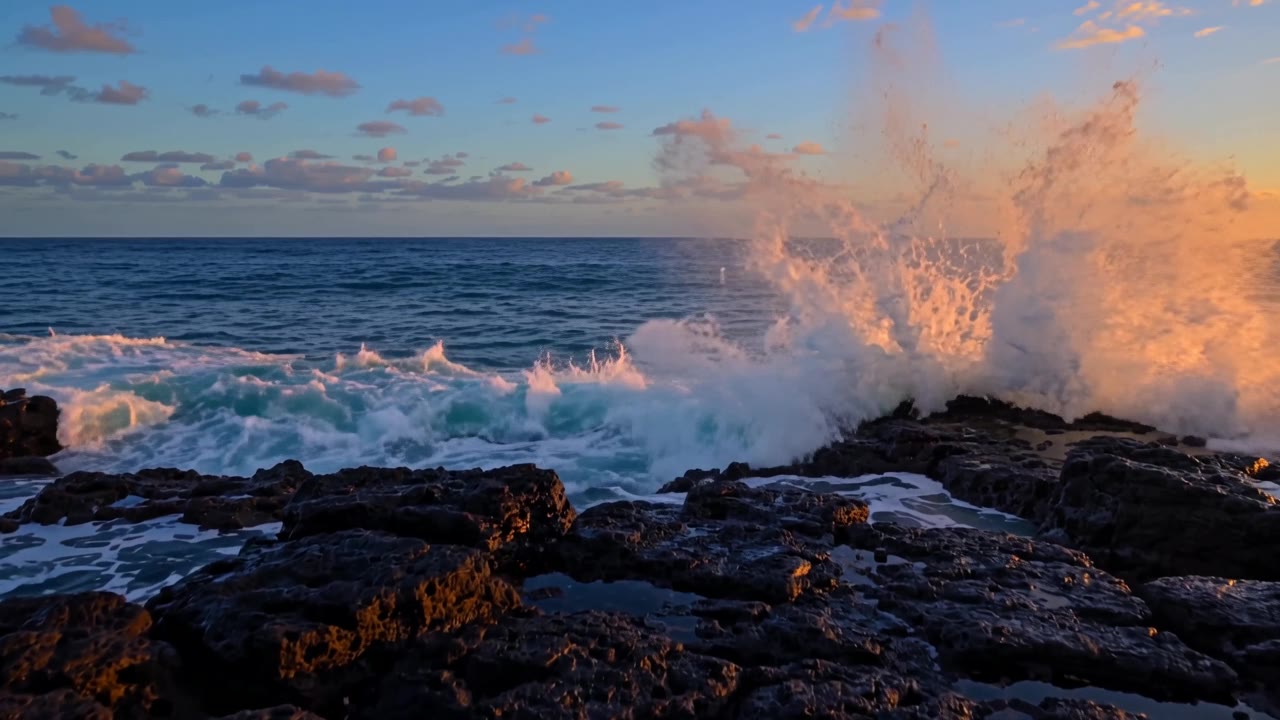
Generated on September 27, 2026: text-to-video, 5 seconds, 720p, audio on.
The prompt asked for waves crashing on black volcanic rock at dusk. With audio on, the clip carries a loud, continuous roar matching the surf. Watch the rock edges and the wave's leading foam for warping between frames, since fast, repetitive motion like breaking waves is a common place for texture drift to hide.
Read the model name precisely
Alibaba Cloud's model page describes text, image, video and audio inputs, output up to 30 seconds and 480P, 720P or 1080P resolutions. Its video model guide distinguishes generation, video editing and motion-driven animation—support for video input does not mean every editing operation uses this same model.
On Cicadas, /wan-3 runs Prime through the wan3.0-video-prime endpoint at 5 or 10 seconds and 720p or 1080p. The separate Wan 2.7 page runs the older Wan 2.7 model, which always returns a native audio track rather than Prime's on/off switch—don't assume a Wan 2.x tutorial maps directly onto Wan 3.0, and don't assume the two pages behave the same way.
Pick a starting point
For an invented environment, text is a useful starting point. For a real product, begin with an image showing its shape clearly—image mode on Cicadas follows that image's shape rather than offering a separate aspect-ratio choice. Alibaba's documentation also describes two-keyframe and reference-material starting points for Wan 3.0 Prime; those are not offered on Cicadas' page, which supports text and single-image input only.
Try a small, inspectable brief
Here is an original prompt draft—an untested extra idea, not the recorded example above:
A folded blue travel bag rests on a plain bench. The camera makes a small, slow move from left to right while the bag stays still. Diffuse window light, restrained shadows, one continuous shot. Keep the zipper, handles and seams unchanged. No hands, added objects or text.
Judge this kind of brief by the seams and handles, not just the overall mood. If the bag changes shape, reduce the camera movement or use a clearer source image. Save an accepted baseline before adding more action.
Budget a whole shot
Resolution and duration set Cicadas' credit quote: 175 credits for 5 seconds at 720p, 350 credits for 5 seconds at 1080p or 10 seconds at 720p. Audio on or off does not change that price. Alibaba Cloud separately lists its own regional provider prices, which are not the same unit as Cicadas' credits—don't compare a provider's regional rate with the retail credit quote shown here.
Separate the cost of a trial from the cost of a delivered take. Record failed attempts and retries, though a failed generation refunds its credits automatically. If a shot needs ten seconds of useful action, generating the longest possible clip is not automatically the cheapest path.
Review and assemble
Watch for shape drift, an extra object appearing and a camera move that accelerates at the end. Inspect selected frames with the frame extractor, then watch the sequence at normal speed to catch flicker that isolated frames miss.
Use a separate editing step for exact prices, captions and logos. Keep text editable until the delivery brief is approved. For multi-shot work, continue with product video maker; for product-specific preparation, use the product video page.