Jewelry brands and product photographers

AI jewelry video from a photo

Turn a jewelry photo into a short video. Inspect a recorded example, download its prompt and settings, then make your own clip.

Animate your image
Recorded generationSeedance 2.5 · 4s · 720p · silent

Your three-step shot plan

  1. Use a photograph that clearly shows the real product shape and setting.
  2. Lock the camera and request a single soft light sweep.
  3. Compare frames against the source and retain only structurally accurate sections.

Before you publish

  • Look for changes to the stone, prongs and band thickness.
  • Check that highlights do not hide important product detail.
  • Never treat invented details as real product specifications.

Download the Seedance MP4, recipe and checklist, or open the recipe and replace the image. Our example is an original illustration; real product accuracy still needs your review.

Real examples. Original recipes.

Every example names its actual model. Download the sample and recipe; generation links appear only for models currently offered here.

Seedance 2.5 · 4s · 16:9 · 720p · silent

A quiet jewelry lighting study.

A four-second, 720p silent Seedance test of an original ring illustration. Motion is deliberately subtle. Review your own product details before publishing.

Recipe available on Cicadas · 2026-09-23

Prompt, settings & input
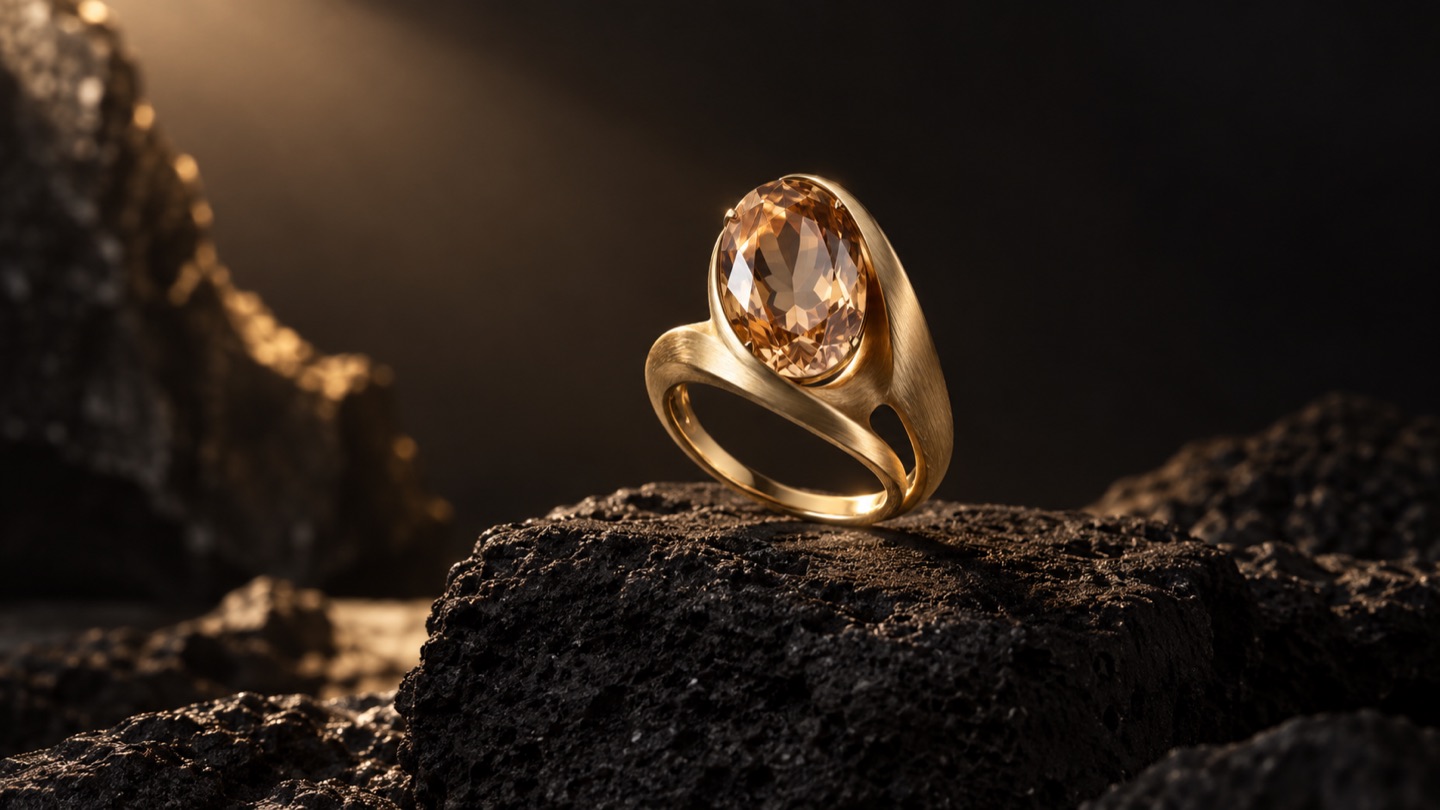
Starting image: Original gold ring illustration with an oval champagne gemstone on dark stone
Original starting image · compare shape, detail and framing with the video above.
Download starting image ↗

Locked camera close-up of this exact gold ring on the dark stone. The ring and background remain completely motionless. Over four seconds, a broad diffused softbox reflection drifts very slowly across the brushed gold band, producing only a subtle change in surface brightness. Keep the oval champagne gemstone evenly exposed and every facet clearly visible throughout. Preserve the exact ring silhouette, band openings, stone shape, setting and original composition. Soft indirect studio lighting only. No visible light beam, no sparkle, no starburst, no lens flare, no glowing gemstone, no blown highlights, no smoke, no camera movement, no rotation, no added objects, no cuts, no text.

image to video · 720p · silent

MP4Open recipe

Kling 3.0 Pro · 5s · 16:9 · silent

A little light. A lot of detail.

Sweep a warm highlight over a sculptural ring and its champagne gemstone.

Recipe available on Cicadas · 2026-09-08

Prompt, settings & input
Starting image: An original gold ring with a champagne gemstone on dark volcanic stone
Original starting image · compare shape, detail and framing with the video above.
Download starting image ↗

The gold ring stays completely still on the stone. A narrow soft studio light slowly sweeps from left to right, making the facets of the champagne gemstone catch brief natural highlights. Camera is locked. Preserve the exact rigid ring shape, oval stone, setting and brushed gold texture. Elegant restrained jewelry commercial. No rotation, no morphing, no added jewelry, no cuts, no text.

image to video · resolution not recorded · silent

MP4Open recipe

Make it your own

Once you have a shot, extract a cover or refine the prompt. Changing models requires a fresh output review; archive recipes are not guaranteed to reproduce across models.