
Year in Review AI Video Maker
Year in Review AI Video Maker. Generate a 5–15 second visual from text or your own photo, from 63 credits. Add exact greetings and dates after download.
Year in Review AI Video Maker on Cicadas turns text or one image into a 5, 10 or 15 second video with MiniMax H3 Max, at 480P or 768P, with sound. A clip costs from 63 credits, and the exact quote shows before you generate.
- From 63 credits per clip
- Text to video / Image to video
- 5s / 10s / 15s
- 480P
- Audio available
Your video
5s · MP4Your next video starts here.
Add a prompt or choose an idea above. Your result will appear here.
About Year in Review AI Video Maker on Cicadas
Generate a short visual chapter for your year in review: animate one milestone photo or describe a symbolic closing shot. This tool makes one 5–15 second clip at a time; it does not automatically ingest a year of photos, order dates or assemble a complete recap.
Why use Cicadas for Year in Review AI Video Maker
A recap of what happened, before next year’s greeting
Keep your actual milestones in order in your editor. Generate one transition or closing scene here, then add truthful dates, names and captions outside the model. For fireworks and New Year wishes, use the separate New Year generator.
Make one shot at a time
Choose one clear movement and inspect the generated details. These prompts have no new paid output tests in this package. Lettering and object counts are not guaranteed.
Check the quote first
MiniMax H3 Max: 5/10/15 seconds cost 63/125/188 credits at 480P or 100/200/300 at 768P. Check the current quote before submission. Failed jobs return credits; a successful result you dislike is still charged.
How to use Year in Review AI Video Maker
- 01
Choose text generation, or upload an image you have rights to use as the starting frame.
- 02
Load a scene, edit one action, set length, resolution and framing, and check the quote.
- 03
Review the whole result and download. Add exact text in your editor and recover completed jobs later from My videos with the same account.
A recap of what happened, before next year’s greeting
Keep your actual milestones in order in your editor. Generate one transition or closing scene here, then add truthful dates, names and captions outside the model. For fireworks and New Year wishes, use the separate New Year generator.
Year in Review AI Video Maker prompt ideas
Copy one into the prompt box above and adapt it to your shot. Or write your own shot by shot in the prompt generator.
“Animate this milestone photo with subtle natural movement and a slow camera push. Keep the subjects recognizable and the setting close to the source. One continuous reflective shot. Sound: gentle room or outdoor ambience, no speech, music, text or numbers.”
“A stack of blank photo prints on a wooden table beside a closed notebook, warm evening light. A breeze turns one blank page and the camera slowly pulls back. A quiet end-of-year closing scene. Sound: paper rustle, no voice or music. No text, no dates.”
Year in Review AI Video Maker FAQ
Related tools
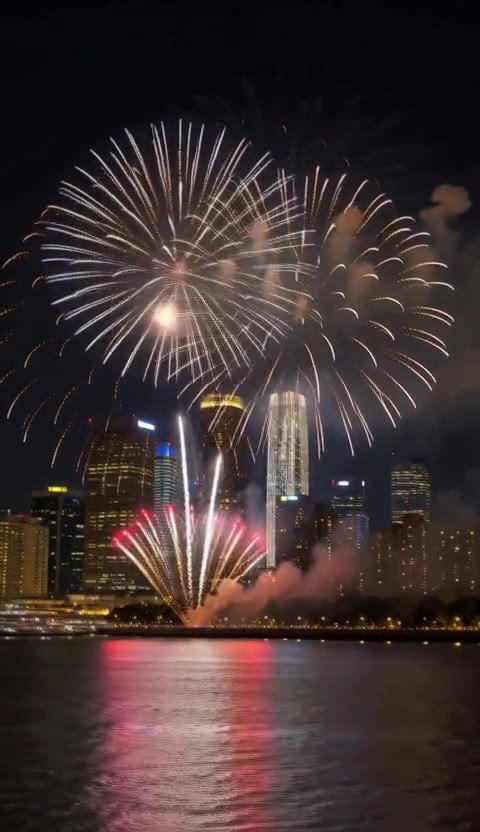 MiniMax H3 Max · Recorded Cicadas sample
AI New Year Video Generator
AI New Year video generator: skyline fireworks, a champagne toast or a sparkler at midnight as a 5-second vertical clip with sound. 63 credits, no photo.
MiniMax H3 Max · from 63 credits
Tested 2026-10-13
 Kling 3.0 Pro · Recorded Cicadas sample
Animate Photo AI
Animate photos with AI: one photo becomes a silent 5- or 10-second MP4 with one small motion you pick. AI photo animation on Kling 3.0 Pro, price shown first.
Kling 3.0 Pro · from 140 credits
Tested 2026-09-29
 MiniMax H3 Max · Recorded Cicadas sample
AI Anniversary Video Maker
AI anniversary video maker: wedding rings on rose petals, a sunset table for two or two lanterns rising, as a 5-second clip with sound. 63 credits.
MiniMax H3 Max · from 63 credits
Tested 2026-10-14